Spreadsheet import
Upload the .xlsx or .csv file you already keep. Bowin recognises common columns, shows problem rows to fix before import, spots likely duplicates and lets you save a draft and finish later. An example template is included.

Features
Bowin follows your event from the first entry to the last medal. Everything below works in the app today, on a laptop at the head table or a phone at the ring.
Before the event
Upload the .xlsx or .csv file you already keep. Bowin recognises common columns, shows problem rows to fix before import, spots likely duplicates and lets you save a draft and finish later. An example template is included.
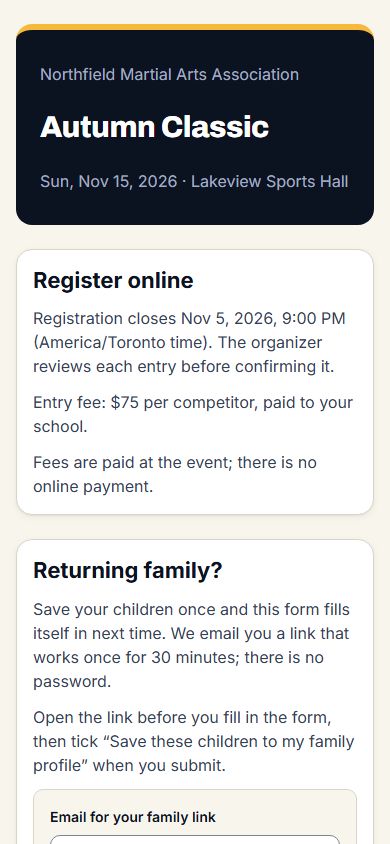
Open and close a registration window. A parent or coach registers up to six children in one go, chooses events and agrees to your waiver and privacy notice. You accept or reject each entry, with a waitlist when you are full.
Every registration keeps what was agreed, when, and the exact wording shown. Optional choices, such as photos or showing a full name, start unticked. Returning families can reuse a saved profile and delete it at any time.
Set rules for age bands, weight classes, belt groups and the smallest division you will run, or start from a preset. Bowin suggests divisions grouped by age band and flags the ones that are too small.
Save your division set as a template for next year, make a similar division in one step, or create many at once.
Run an event over several days in its own time zone. Ring times are entered and shown in the event's local time.
On the day
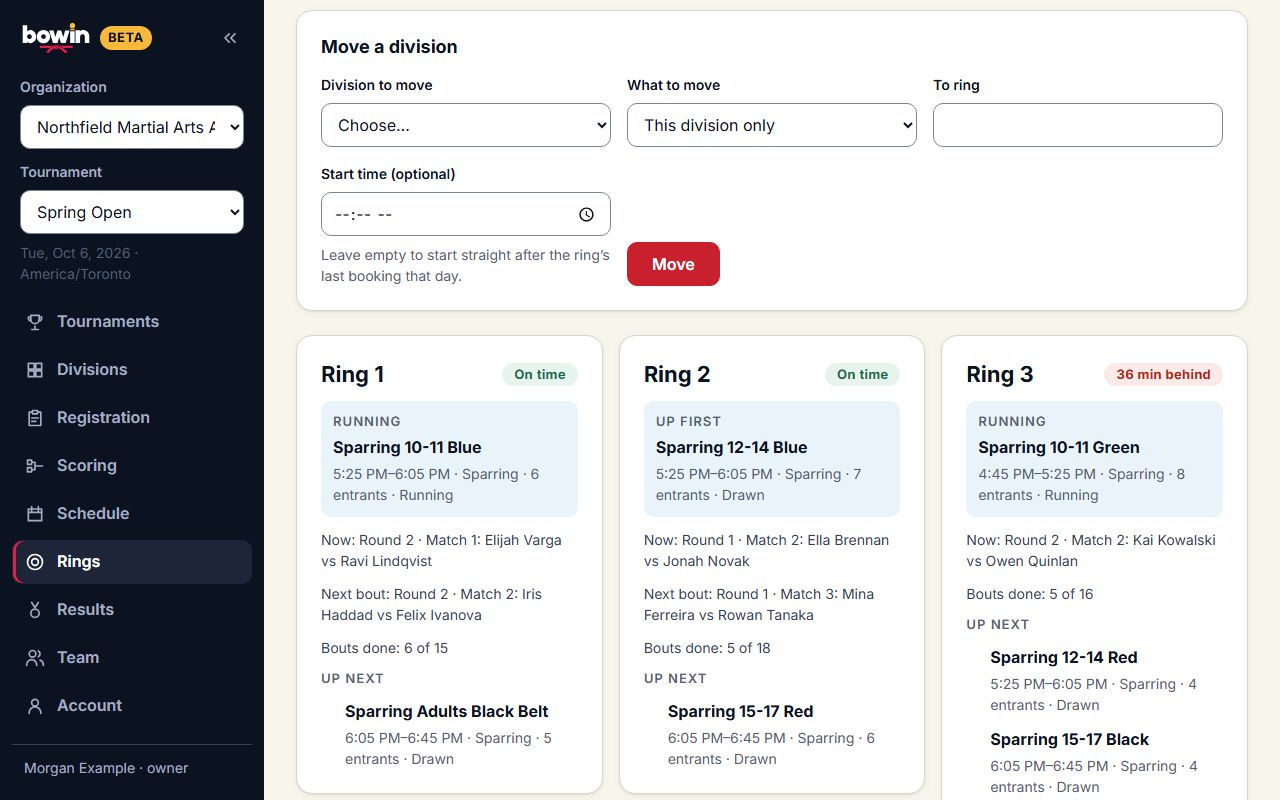
See every ring's divisions in running order, what is up first, and how many minutes each ring is behind. Move a division, or the rest of a ring's day, to another ring in one action. Bowin warns when a competitor is booked on two rings at overlapping times and refuses a booking that clashes with another division on the same ring.
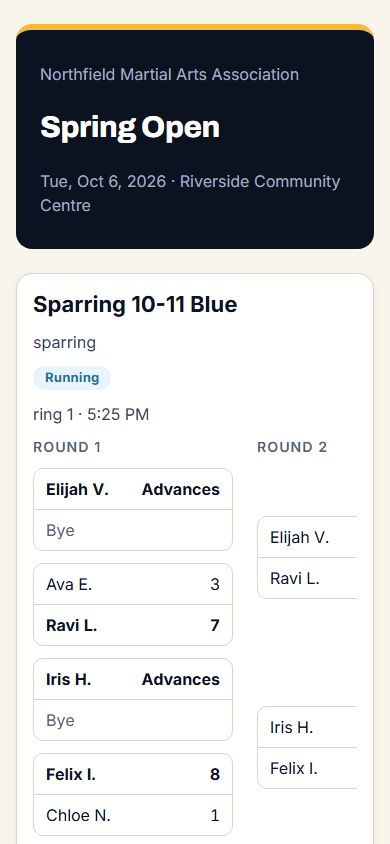
Brackets are drawn only from checked-in competitors, so no-shows never become phantom byes.
Seeding keeps teammates apart in the first round where it can. Byes are handled, winners advance automatically and the semi-final losers meet for third place.
Run patterns as a scored final, with scores from 0.00 to 10.00 and shared ranks for ties, or as a head-to-head bracket.
Withdraw a competitor with a reason and a refund note, reinstate them, move them, or place a late entrant into an open bye. Thin divisions can be merged after a check of the age, weight and belt spread, or a lone competitor can be awarded first place.
Print bracket sheets and each ring's running order from the same data, for the scorer's table or a wall.
Invite staff by email with one-use links. Owners and organizers run the event; scorekeepers see only names, schools and weights, which is all scoring needs.
After every bout
Publish results when you are ready, and withdraw them again if you need to. The public page shows your organization's name, the brackets, placings and ring times. It needs no account and costs families nothing. Children appear by first name and last initial unless their family chose otherwise.
Who uses it
Setting up is free. See current pricing for running an event.