
How it works
A tournament in Bowin, start to finish.
Bowin runs in a web browser on laptops, tablets and phones. Nothing to install: your team signs in at the same address.
Weeks before
1. Set up your team
Create your organization and confirm your email address. Then invite organizers and scorekeepers: each person gets a one-time invite link that expires after 24 hours and chooses their own password.
2. Create the tournament
Give it a name, a venue, its start and end dates, and the time zone it runs in.
3. Take registrations
Turn on online registration and share the link: families register their children, agree to your waiver, and each entry waits for you to accept it. Or upload your registration spreadsheet: Bowin reads name, gender, age, belt, dan, weight, height, school and which events each competitor entered, shows anything that needs fixing, and skips duplicates (same name and school).
4. Create divisions
Ask Bowin to suggest divisions using the standard rules or your own. Review the proposal, rename divisions, move competitors, then create them in one step. You can also add divisions by hand.
5. Book rings
Give each division a ring, a start time and a length. Bookings that overlap on the same ring are refused, and Bowin warns you when a competitor is booked in two rings at the same time.
On the day
6. Check in
Organizers check competitors in as they arrive. Late arrivals can be added into an open bye slot or an unfinished patterns final.
7. Draw brackets
Once a division's entrants are checked in, set the seed order or spread schools, then generate the bracket. Print sheets for any ring that wants paper.
8. Watch the rings
The Rings board shows every ring's running division, current and next bout, and how far behind it is. If a ring falls behind, move a division, or the rest of its queue, to another ring in one step.
9. Score
Scorekeepers record each bout's points; winners move forward automatically. Patterns divisions run as brackets with judges' flags or as a scored final.
10. Handle changes
Withdraw, reinstate, move, merge small divisions within set limits, or close a division as uncontested. Each change is recorded.
Afterwards
11. Publish results
Publish when you're ready. Families open one link to see champions, placings and patterns ranks under display names. Withdraw the link at any time.
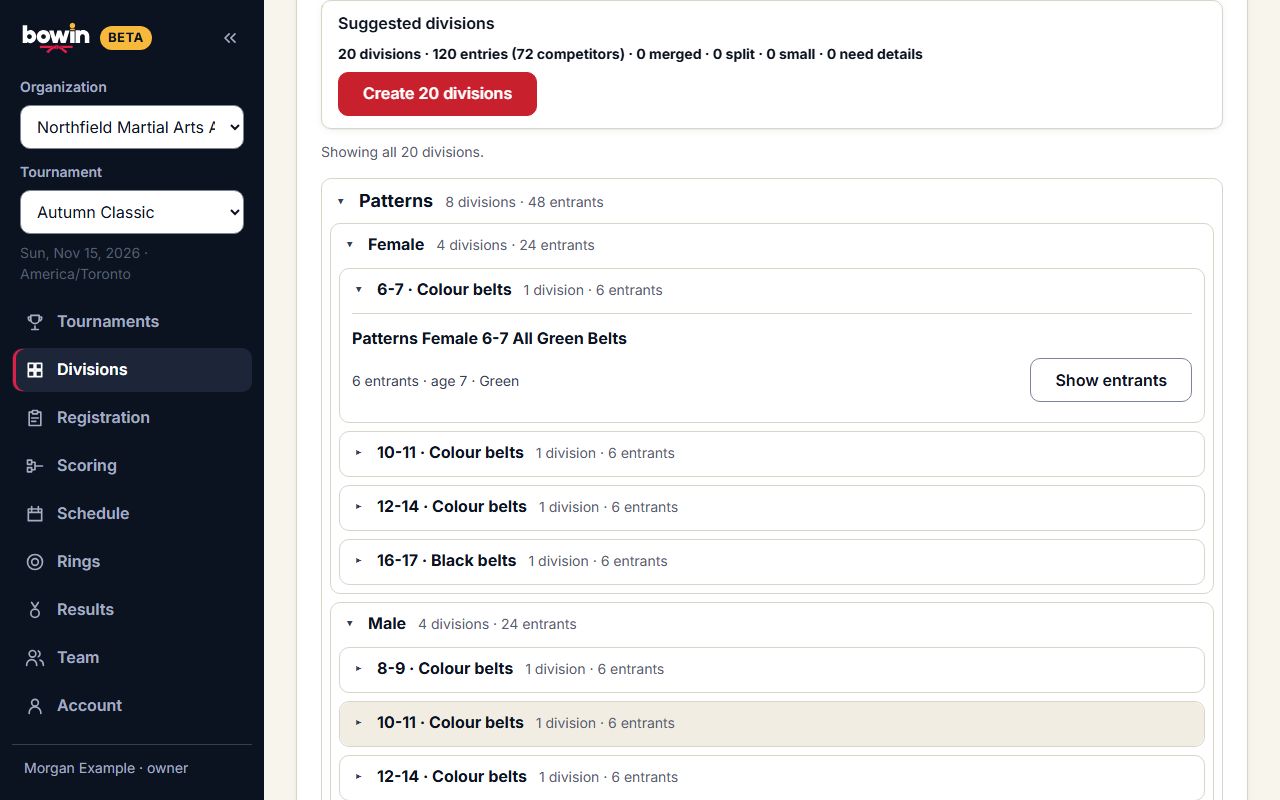 SAMPLE DATA · NOT A LIVE EVENT
Ready for your first event?
Create your organization now, or talk to us about a founding pilot with hands-on help.